
A TV remote on your phone that stays connected
Zorvo finds your TV, connects in seconds and tries to reconnect automatically when the Wi-Fi hiccups. Free, no account, no ads.
Android phones only. Free to download and use.
- Free
- No account
- No ads
- No subscription
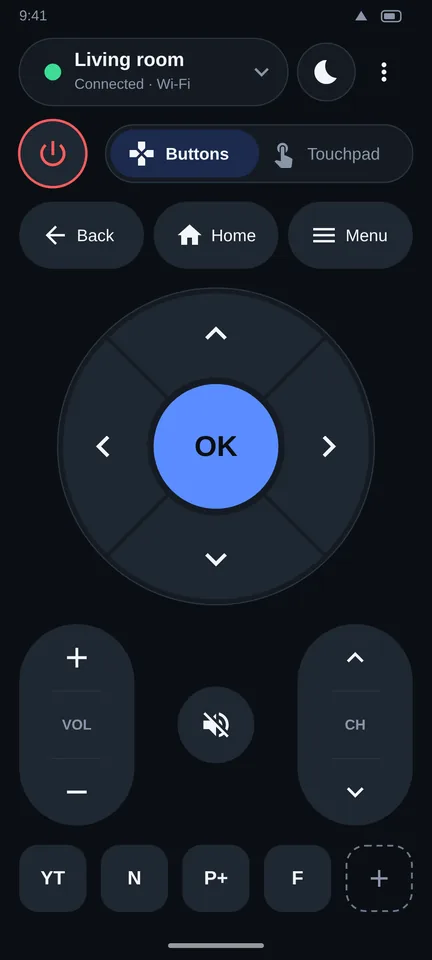
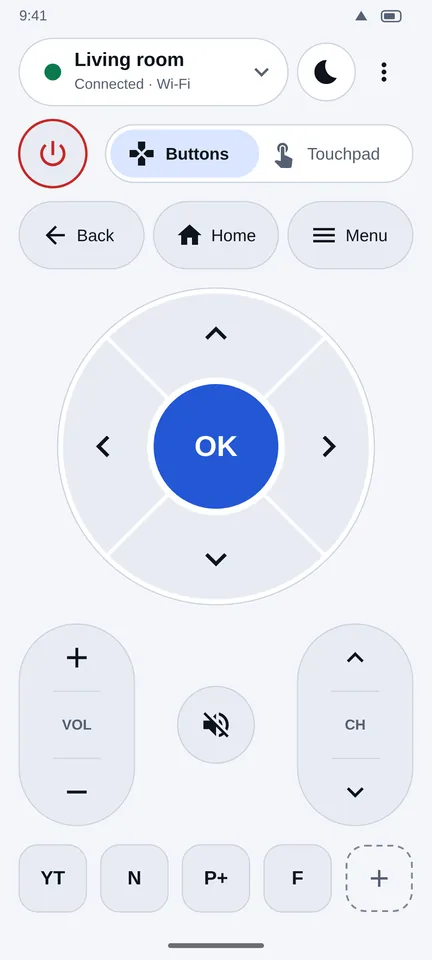
Sound familiar?
"Connection failed", but you are on the same Wi-Fi
The most common complaint about TV remote apps. Zorvo looks for your TV by identity, not just by address, and tells you the exact setting to change when something blocks it.
Ads between button presses
Zorvo 1.0 has no ads at all.
A paywall for basic buttons
Power, volume, arrows, OK, keyboard and touchpad are free. There is no trial that turns into a charge.
So we built the remote the other way round.
Set up in about a minute
- Install and open Zorvo. Allow nearby devices or local network access when asked. Zorvo explains why before Android does.
- Pick your TV. Zorvo scans your Wi-Fi and lists the TVs it finds. Not sure which is yours? Tap Show on TV.
- Confirm on the TV if it asks. Some TVs show an Allow button or a code. Then the buttons work.
What makes it different
Specific behaviors you can check yourself, not promises.
Tries to reconnect automatically
If the link drops or the TV gets a new address, Zorvo can look for it again and try backup routes quietly before it bothers you.
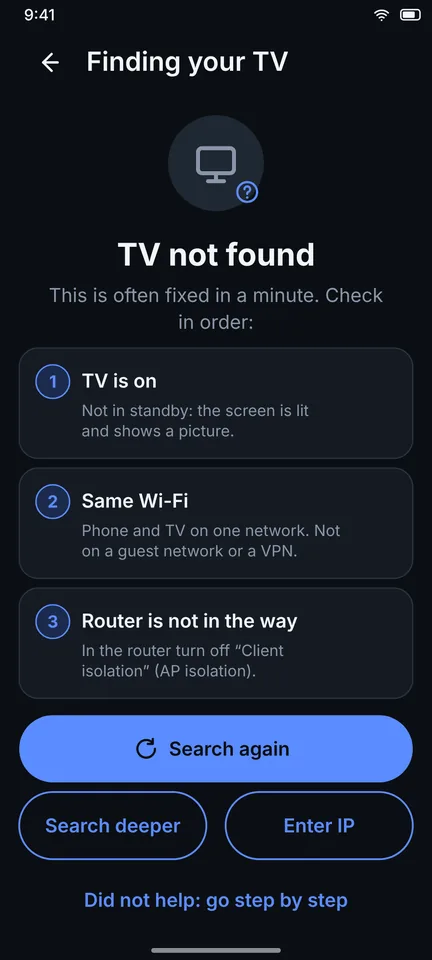
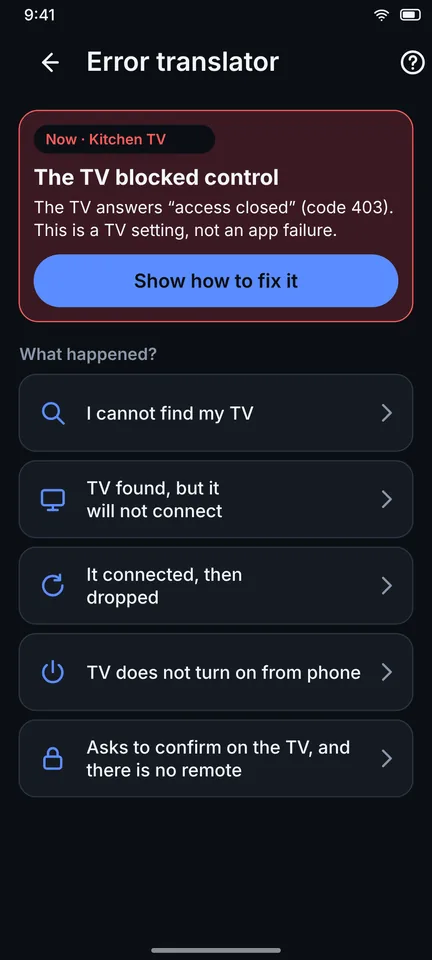
Errors that tell you what to do
Instead of "failed", you see the one step to fix it on your TV, such as which setting to switch on.
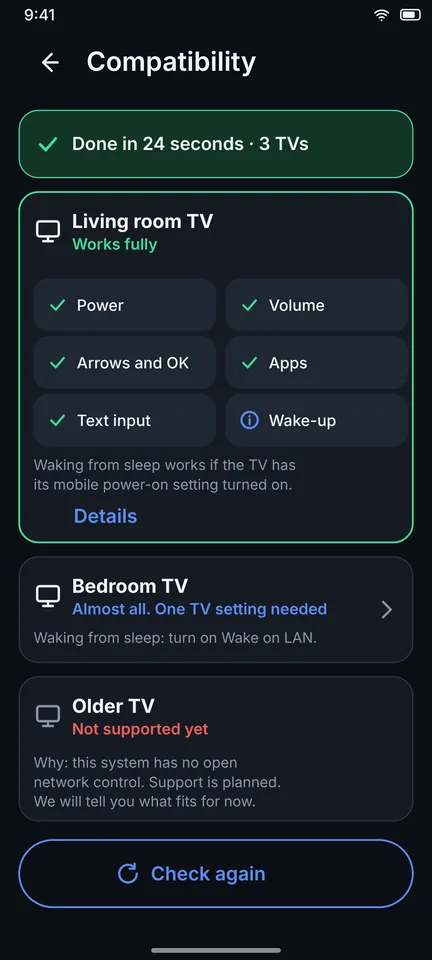
A compatibility screen
See what Zorvo is designed to support for each TV brand, and why some TVs are not supported yet, before you rely on it.
Fast controls without opening the app
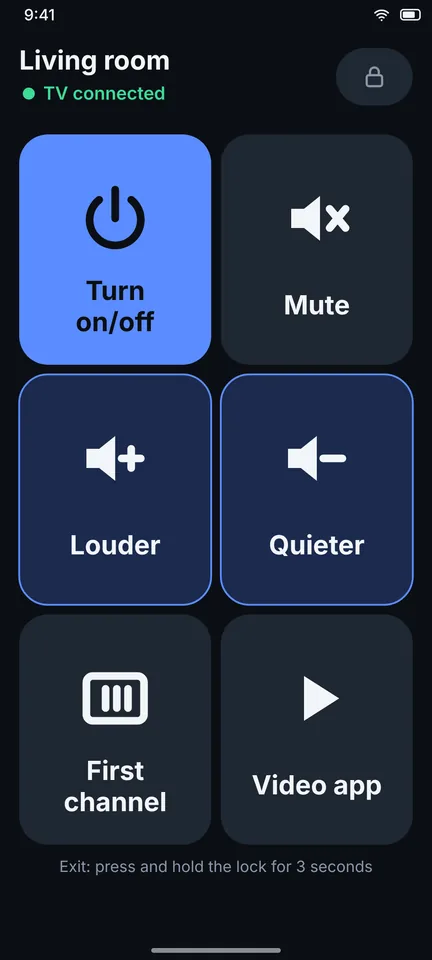
- Remote in the notification shade and on the lock screen
- Phone volume buttons change the TV volume
- Quick Settings tile and home screen widgets
- Power menu device control (Android 11 and newer)
- Favorite apps and channels in one tap
Your questions, answered straight
Is it really free?
Yes. Free to download and use, with no subscription and no locked basic buttons.
Read the guide →Are there ads?
No. Zorvo 1.0 has no ads: not on the remote, not in the notification, not in the widget.
Read the guide →Do I need an account?
No sign-up, no email, no login.
Read the guide →What about my data?
Your TV list stays on your phone. See exactly what is used and why.
Read the guide →Will it work with my TV?
Check your brand below, or run the in-app compatibility check.
Read the guide →More ways to use it
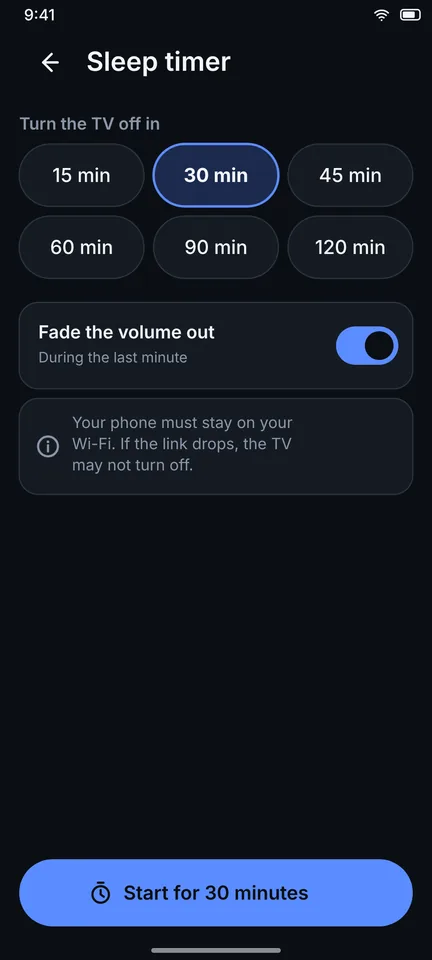
Designed for these TV brands
Support depends on the model and its software, and testing on real TVs is still in progress. Tap your brand for steps and limits.
Roku TV
Roku TVs and players. No pairing code, one setting to check.
Designed forSamsung TV
Samsung Smart TVs (Tizen). One Allow prompt on the TV.
Designed forLG TV
LG Smart TVs (webOS). Accept the connection prompt on the TV.
Designed forSony Bravia TV
Sony Bravia. Code pairing on Google TV models, network control on older ones.
Designed forGoogle TV
Google TV and Android TV, including built-in on many brands. Pair with a code.
Depends on the TV systemTCL TV
TCL TVs run Google TV, Android TV or Roku TV. Steps depend on which.
Depends on the TV systemHisense TV
Hisense models on Google TV, Roku TV or Fire TV. VIDAA not supported yet.
Depends on the TV systemXiaomi TV
Xiaomi Mi TV and TV Box on Google TV or Android TV. Pair with a code.
Depends on the TV systemPhilips TV
Philips on Google TV, Android TV or Roku TV. Titan OS not supported yet.
Depends on the TV systemPanasonic TV
Panasonic on Google TV or Android TV. Older Viera not supported.
Planned, not available yetVizio TV
Not supported yet, planned. What to use for now.
Planned, not available yetFire TV
Not supported yet, planned. Needs ADB debugging.
Zorvo is an independent app. It is not affiliated with, endorsed by or sponsored by Samsung, LG, Roku, Sony, Google, Amazon, Philips, TCL, Hisense, Xiaomi, Vizio, Panasonic or any other TV maker. All product names, logos and trademarks belong to their owners and are used only to describe compatibility. Compatibility depends on the TV model, its software version and your network. Run the in-app compatibility check to see what your TV supports.
When something goes wrong
Short, honest fixes for the problems people hit most.
Lost your TV remote? Use your phone
A phone can replace a lost remote if the TV is already on your Wi-Fi. The catch: some TVs ask you to confirm the new device on the TV
TV not found on the network: nine checks in order
When your phone and TV seem to be on the same Wi-Fi but the remote app still says nothing found, one of these is usually the reason. Go in
Control a TV without Wi-Fi: the honest answer
Short answer: Zorvo needs your phone and TV on the same Wi-Fi network. Without Wi-Fi it cannot control the TV, and infrared (IR) is not
Quick answers
Is Zorvo really a free TV remote app?
Yes. It is free to download and free to use. There is no subscription, no trial that turns into a charge, and no locked keyboard or touchpad.
Does Zorvo show ads?
No. Zorvo 1.0 has no ads: not on the remote, not in the notification, not in the widget.
Do I need an account?
No. There is no sign-up, no email and no login.
What data does Zorvo use?
Your list of TVs and the pairing data stay on your phone. Zorvo does not collect your name, email or location and shows no ads. It can send anonymous usage statistics, but only if you allow it. It needs access to your local network to find and control TVs, and it talks only to devices on that network. Read the full draft policy for details.
Which TVs is Zorvo designed for?
Zorvo is designed for Android TV and Google TV, Roku, Samsung Smart TVs (Tizen), LG Smart TVs (webOS) and Sony Bravia, over your home Wi-Fi. We are still testing on real TVs, so compatibility varies by model and software version. Fire TV, Vizio, Philips, Hisense VIDAA and more are planned, not available yet.
Does it work without Wi-Fi?
No. Zorvo needs your phone and TV on the same Wi-Fi network. Without Wi-Fi it cannot control the TV.
My TV is not found. What now?
Make sure the TV is fully on and on the same Wi-Fi as the phone, with no VPN. Some TVs need a setting turned on first, and Zorvo tells you which. Hotel and guest networks often block device discovery. See the full checklist in the guide on TV not found.